Add Happy Hours to your iPhone home screen
- 1
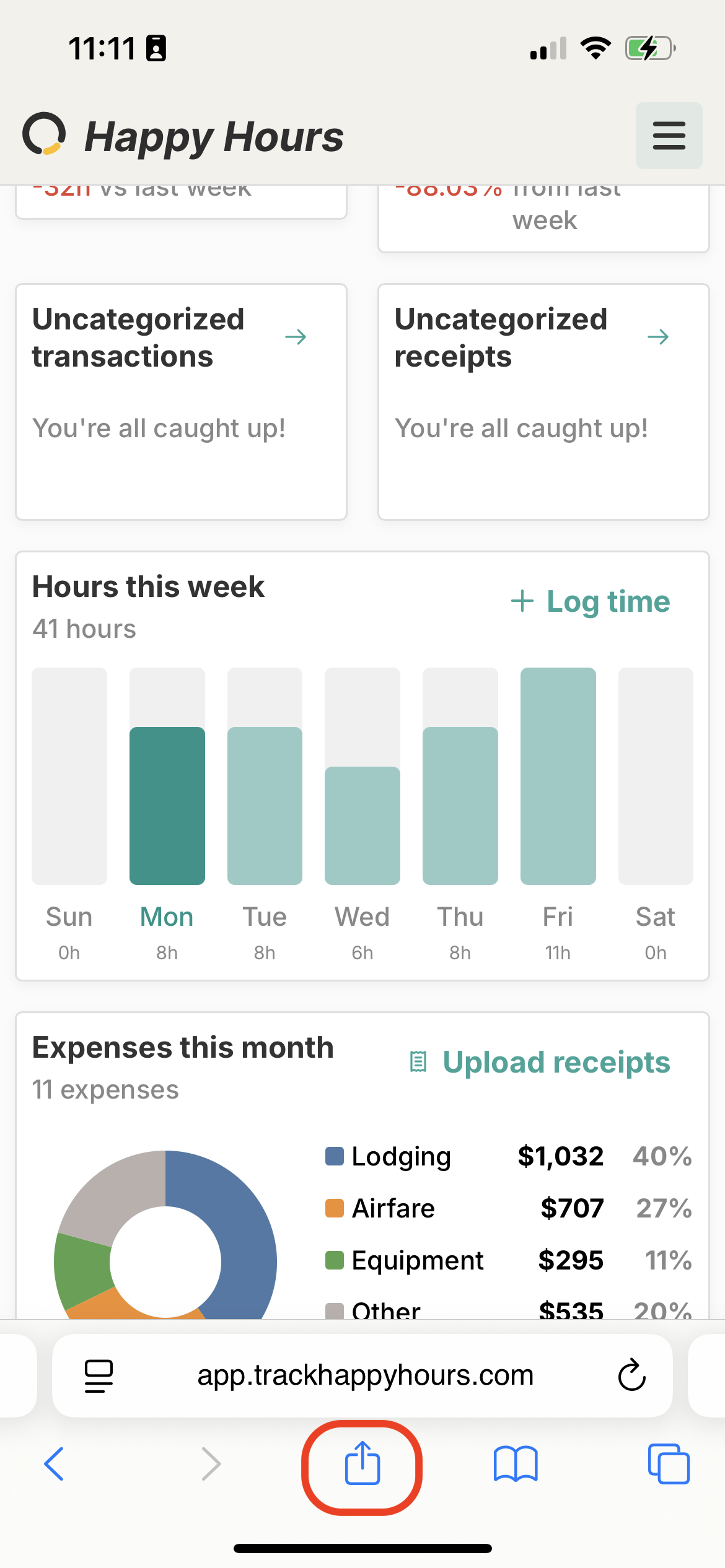
Tap the Share button
In Safari, tap the Share icon in the bottom toolbar.
- 2
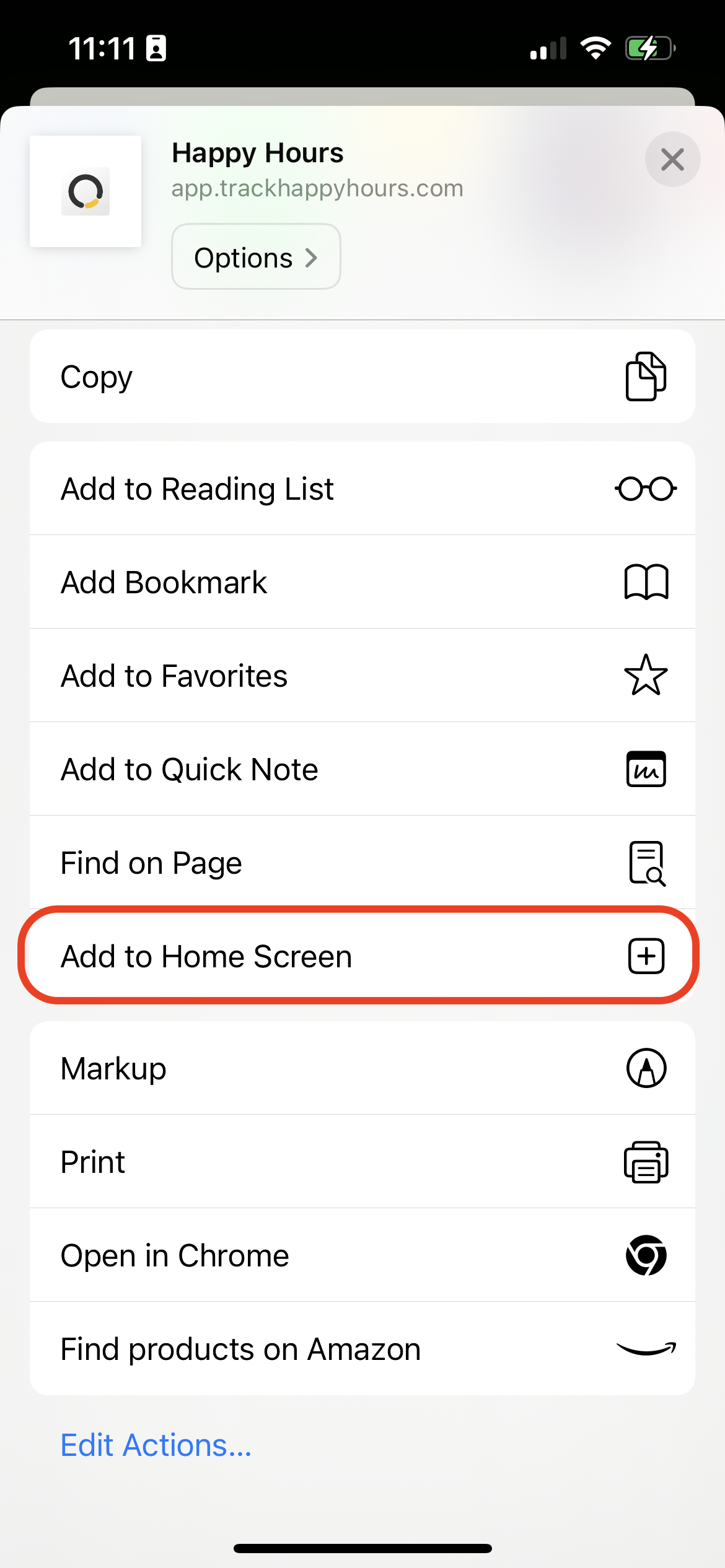
Choose "Add to Home Screen"
Scroll down in the share sheet and tap Add to Home Screen.
- 3
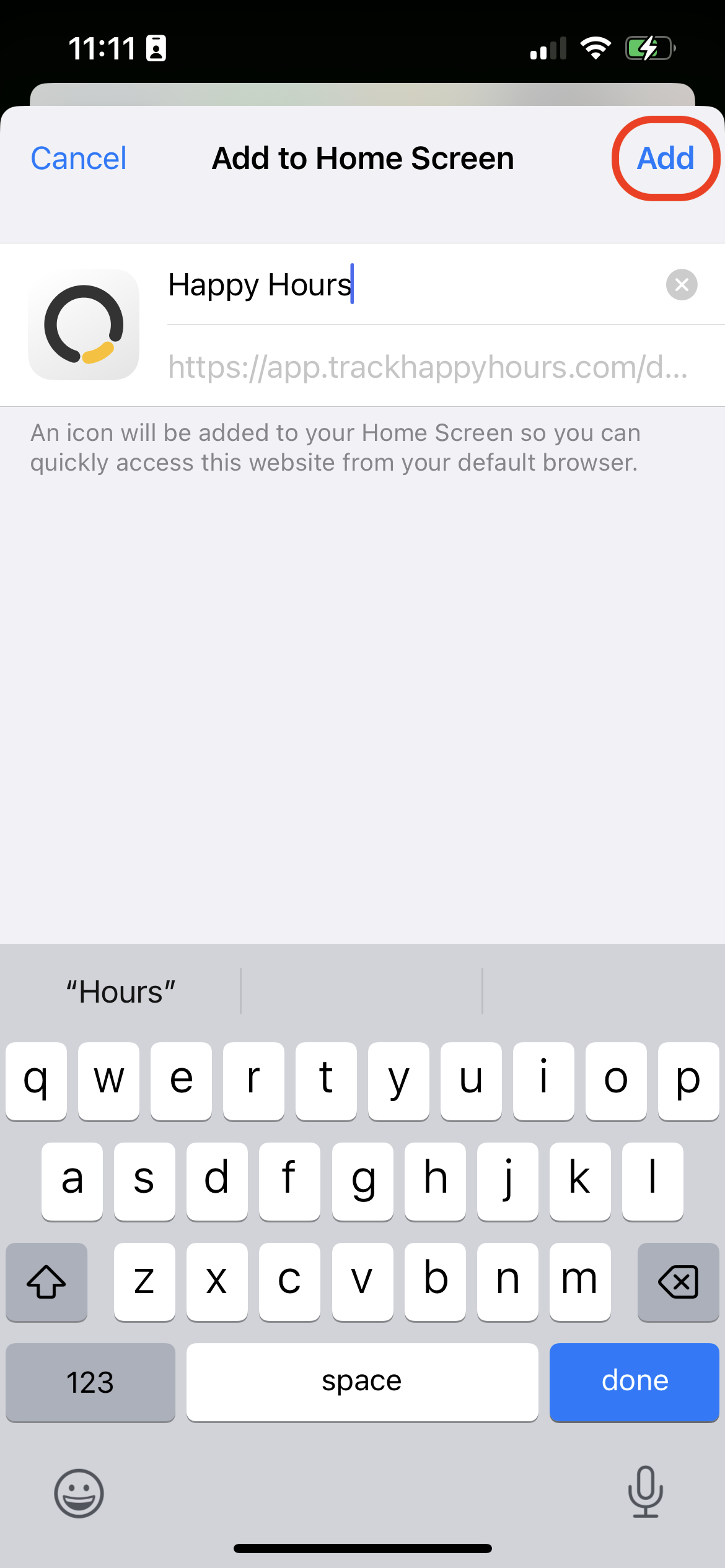
Tap "Add"
Confirm the name and tap Add. Happy Hours will appear on your home screen like a native app.