Every expense, in one list
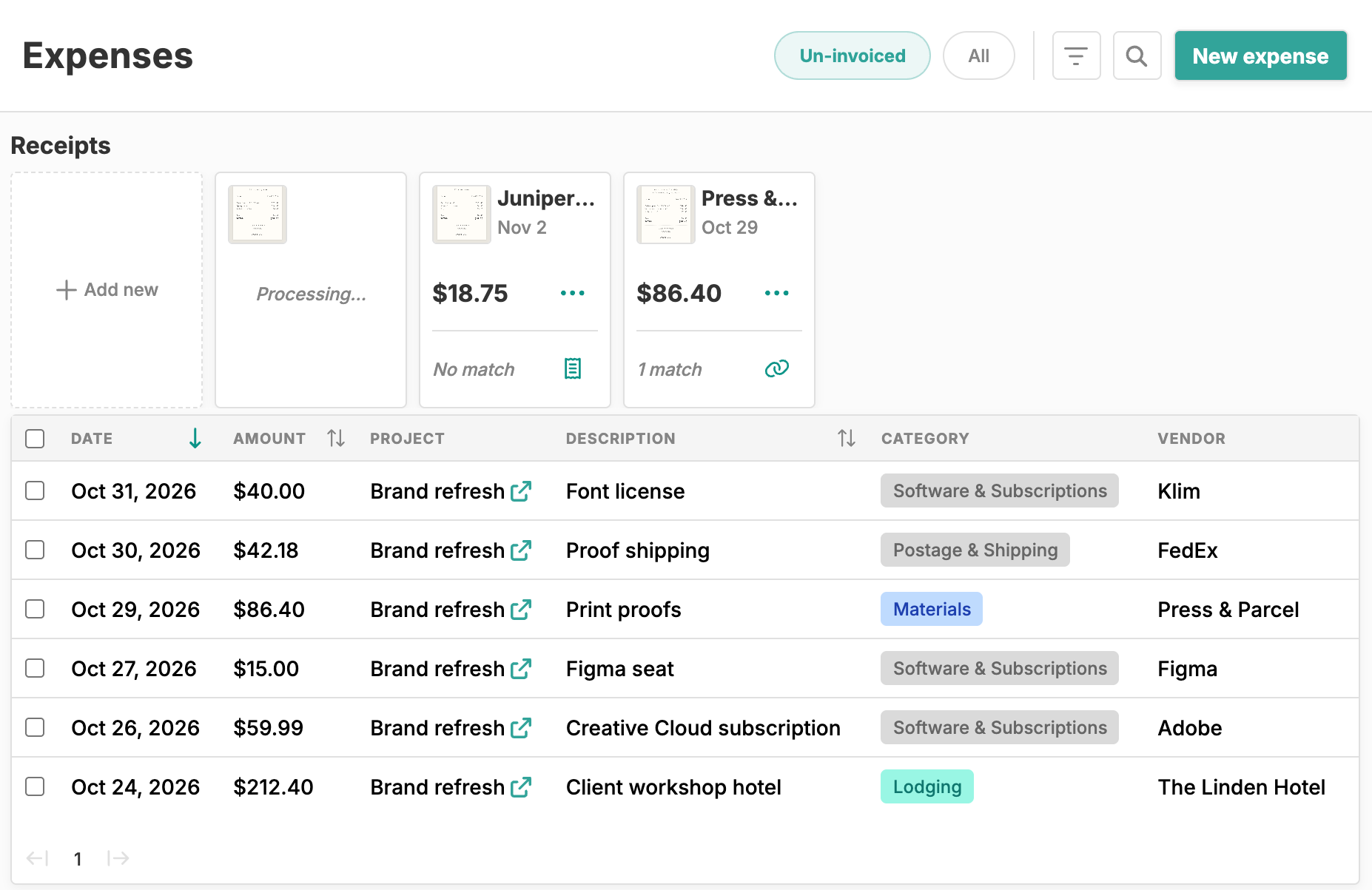
Receipts waiting to be filed up top, expenses below with their project, category, and vendor. The Un-invoiced view shows the billable costs you haven’t billed yet.

Sync your bank, let AI read your receipts, and bill project costs back to the right client, with an optional markup on top.
Start tracking freeLink your US bank and credit card accounts through Plaid. New transactions sync on their own, and you decide which become expenses.
Upload photos or PDFs, several at once, and Happy Hours AI reads the vendor, date, and total.
Transactions and receipts that line up with an expense you already logged are flagged, so linking them takes a click or two.
An accounting-style category list from Materials to Software & Subscriptions, plus your own categories and subcategories.
Import billable expenses into invoices, with an expense markup set on each time and expenses contract.
Generate a PDF expense summary for any project and date range, with the receipts attached as pages.
Receipts waiting to be filed up top, expenses below with their project, category, and vendor. The Un-invoiced view shows the billable costs you haven’t billed yet.
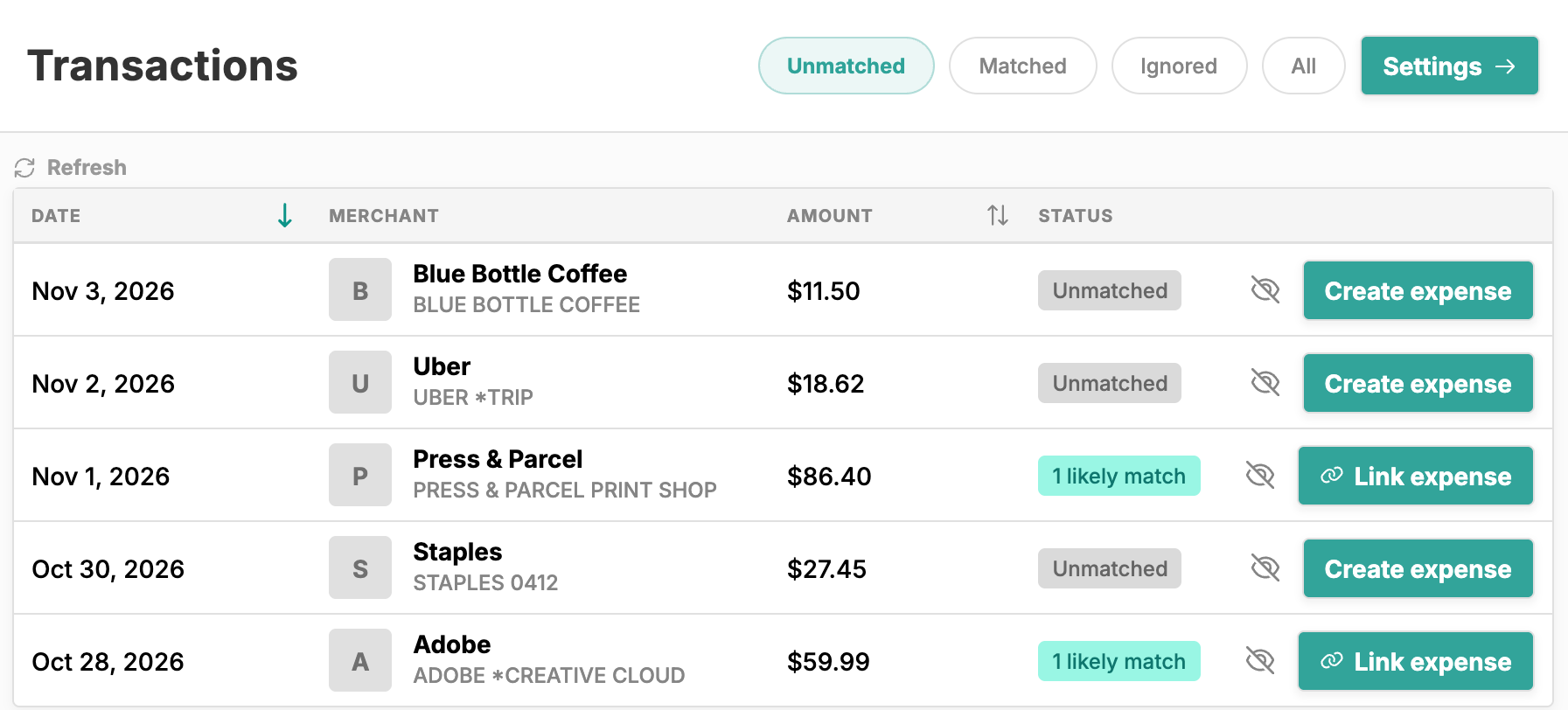
When a synced charge has the same amount as an expense you logged in the days before it, it shows as a likely match. Link it, create an expense from it, or ignore it.
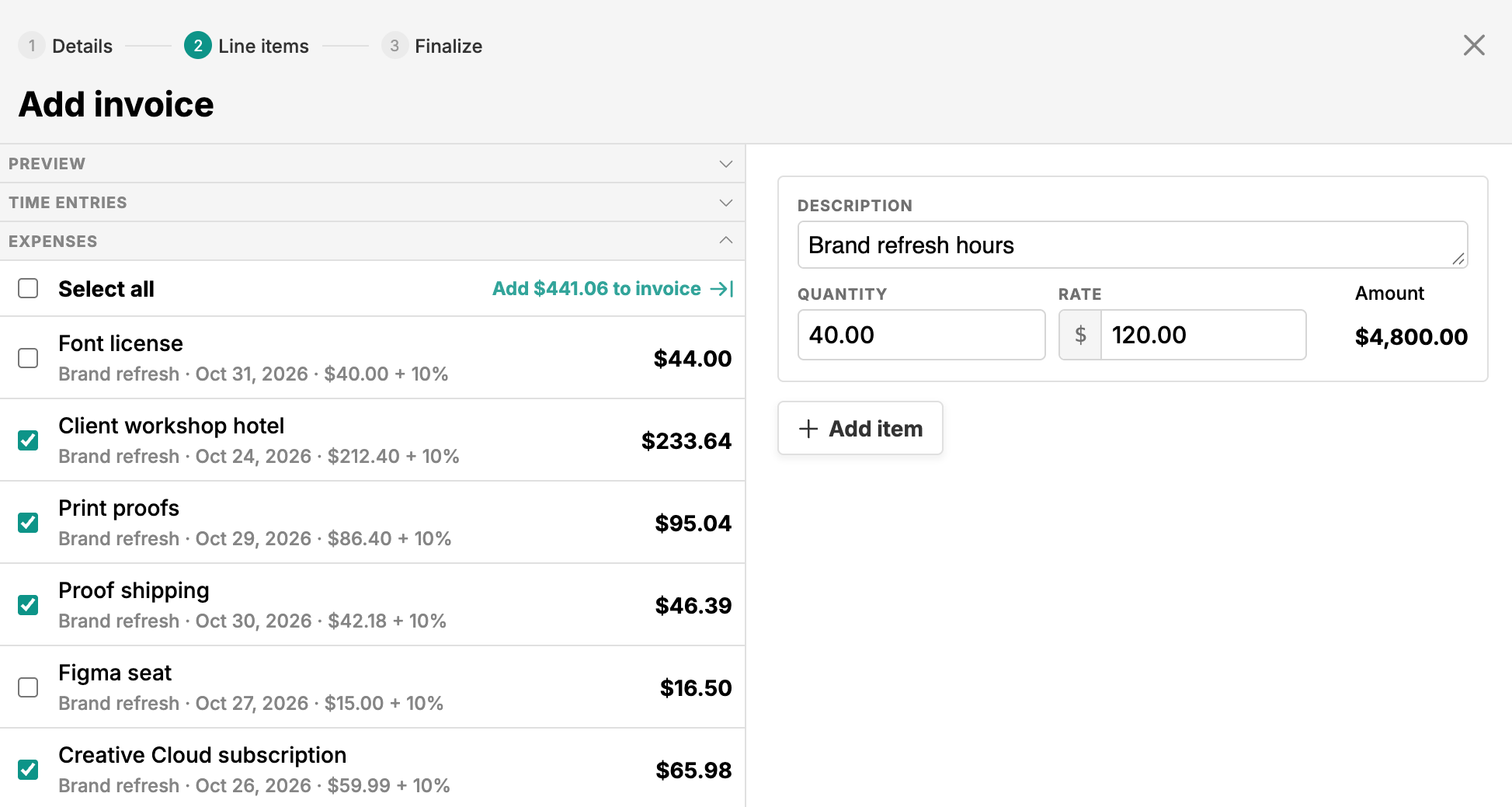
While you build an invoice, tick the billable expenses next to your time entries. Each one shows the contract’s markup, like $59.99 + 10%, and lands on the invoice as a project expenses line.
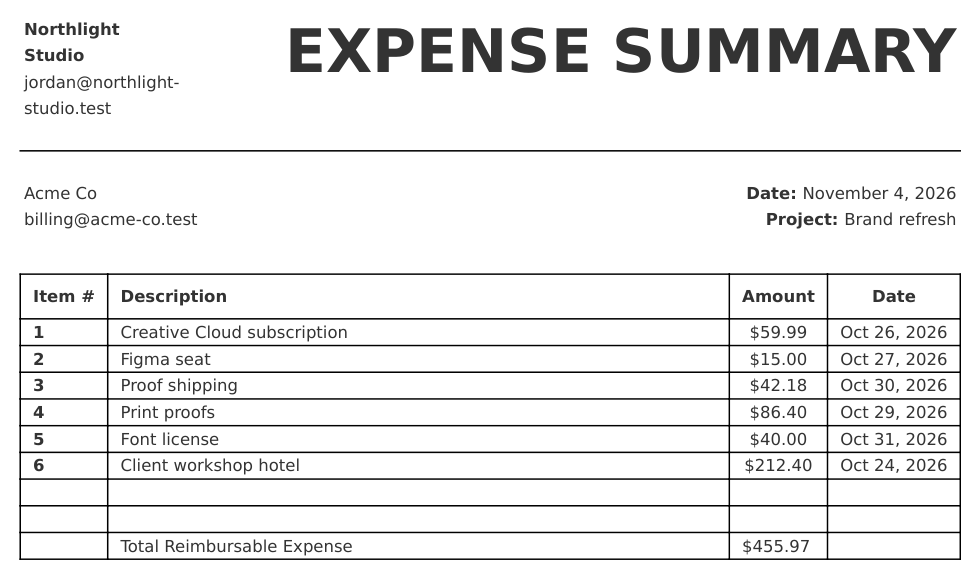
Generate a PDF expense summary for a project and date range, with the receipts attached as pages if you want them.
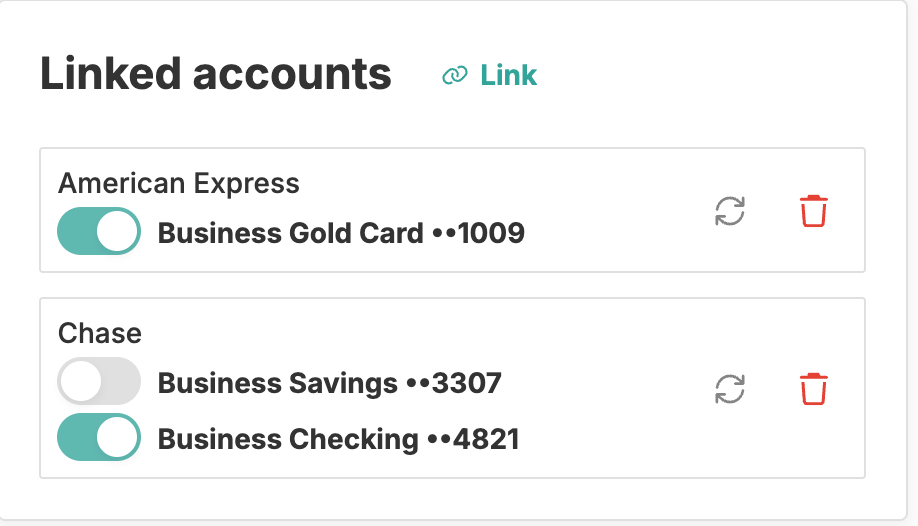
Link your banks and cards through Plaid, then switch each account on or off, so a personal card stays out of your books.
Expense tracking in Happy Hours is built for freelancers who spend money on behalf of clients and need to get it back. Expenses live next to your time tracking, projects, and invoices, so a hotel bill or a parking receipt moves from your bank statement to the right client invoice without retyping.
Link your business bank accounts and credit cards through Plaid. You choose which accounts sync, so a personal card can stay out of it, and new transactions arrive as your bank reports them.
When a transaction has the same amount as an expense you logged a few days earlier, it shows up as a likely match: click Link expense, confirm the expense, and the two are linked. Otherwise, turn it into a new expense with the amount and date filled in, or ignore it if it’s personal.
Receipts work the same way. Upload photos or PDFs, several at a time, and Happy Hours AI reads the vendor, date, and total. If an expense with that amount and date is missing its receipt, the card says so and linking takes two clicks. If not, the receipt becomes a new expense with its date, amount, and image already filled in.
An expense needs only an amount. Add a project and the client comes with it, then a vendor, a category, and a receipt if you have one. Expenses are billable by default; switch that off for costs you absorb, and leave the project empty for overhead like your own software.
Every account starts with 42 categories that follow how an accountant thinks about a business, from Cost of Goods Sold and Travel & Entertainment to Software & Subscriptions and Bank Fees, and you can add your own.
Because expenses belong to projects, they show up where you manage the work. In project management, a project’s unbilled total, margin left, and effective hourly rate all include its expenses, and with a dollar budget, budgeting counts billable expenses against what the client agreed to spend.
Billable expenses are where expense tracking pays for itself. Set an expense markup on the project’s contract, say 10%, and when you build an invoice in invoicing, pick the expenses you’re billing right next to your time entries. They become line items with the markup already applied.
Billed expenses show the invoice they’re on and drop out of the un-invoiced view, so nothing gets billed twice or forgotten.
For clients who want the detail, generate an expense report for a project and date range: a PDF with every item and the total, with the receipts attached if you want them, ready to send with the invoice.
The dashboard shows this week’s spending against last week’s, and this month’s by category. In financial insights, business expenses (the costs you don’t pass on) sit next to revenue, realized profit subtracts every expense, and unbilled work lists the expenses still waiting on an invoice.
Happy Hours connects to US bank accounts and credit cards through Plaid. Link as many institutions as you need, and switch individual accounts on or off. New transactions sync automatically, and you decide which ones become expenses. Happy Hours is US-only for now; if you work elsewhere, reach out about the international beta.
Yes. Happy Hours connects through Plaid with read-only access to transactions, so nothing can move money out of your account. Your bank login stays with Plaid and Happy Hours never sees it, nor your account or routing numbers. Happy Hours stores the account name, its last four digits, and the imported transaction details.
Upload photos or PDFs of your receipts, several at a time, and Happy Hours AI reads the vendor, date, and total. If an expense with the same amount and date is missing its receipt, the receipt shows the match and you can link it in two clicks. Otherwise, turn the receipt into a new expense with its date, amount, and image already filled in.
Yes. Mark the expense billable and attach it to a project with a time and expenses contract. When you build the invoice, import the expenses alongside your time entries and they become line items, with the contract’s expense markup applied. Billed expenses show which invoice they’re on and leave the Un-invoiced list, so nothing is billed twice.
Yes. Switch Billable off for costs you absorb, or leave the project empty for overhead like software, insurance, or bank fees. Those costs show up as business expenses in financial insights and are subtracted from your realized profit, while billable expenses count toward the client’s budget and invoices.
No. Expense tracking is part of the single $10/month Happy Hours plan, with unlimited expenses, bank sync through Plaid, and AI receipt reading included. There are no feature tiers or per-seat pricing. Every account starts with a 14-day free trial with full access; see pricing for details.