Card, bank transfer, or both
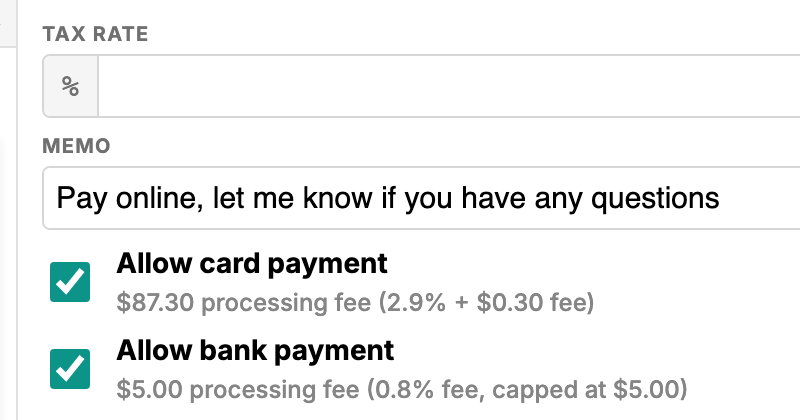
Tick Allow card payment, Allow bank payment, or both when you finalize an invoice. Each shows the exact processing fee for that invoice’s total.

Shred those paper checks. Clients pay your invoice from a link, by card or bank transfer through Stripe, with no account to create.
Start getting paid onlineBank transfers cost 0.8%, capped at $5, so a $3,000 invoice costs $5 to collect instead of $87.30 by card.
Clients can pay by credit or debit card at 2.9% + $0.30, with no setup fee and no monthly minimum.
Client payments go to your own Stripe account.
Choose card, bank transfer, or both on each invoice, with the exact processing fee for that total shown next to each.
Clients pay from the View & Pay Invoice button in your email. No signup, no password.
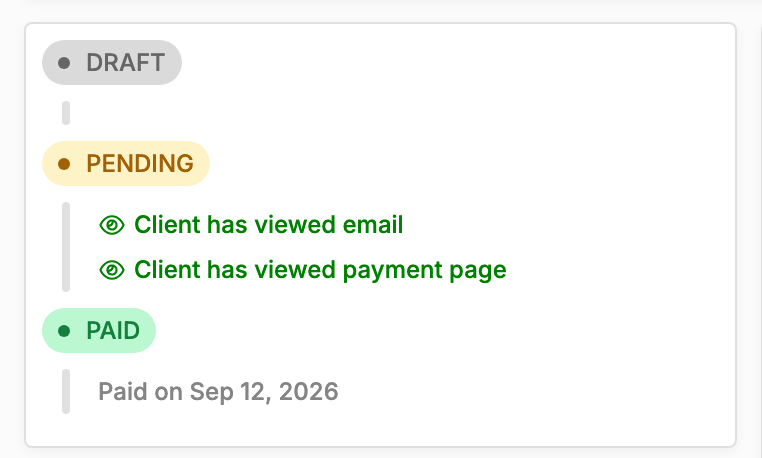
Each emailed invoice shows whether your client has viewed the email and the payment page.
Tick Allow card payment, Allow bank payment, or both when you finalize an invoice. Each shows the exact processing fee for that invoice’s total.
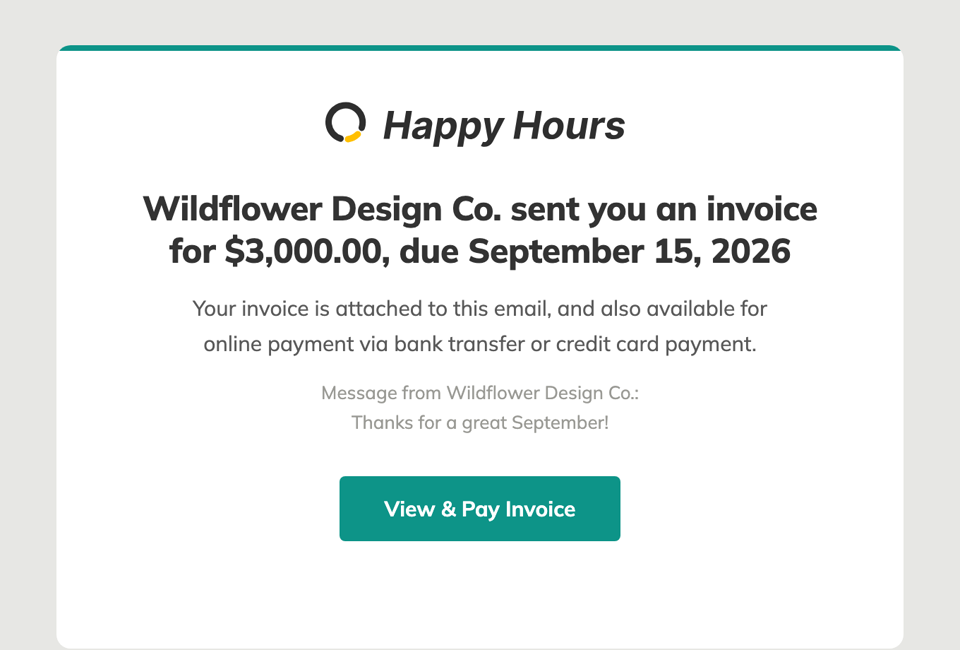
Your client gets the invoice PDF and a View & Pay Invoice button that opens the payment page. No account, no password.
The invoice’s status panel shows when your client has viewed the email and the payment page, and the date it was paid.
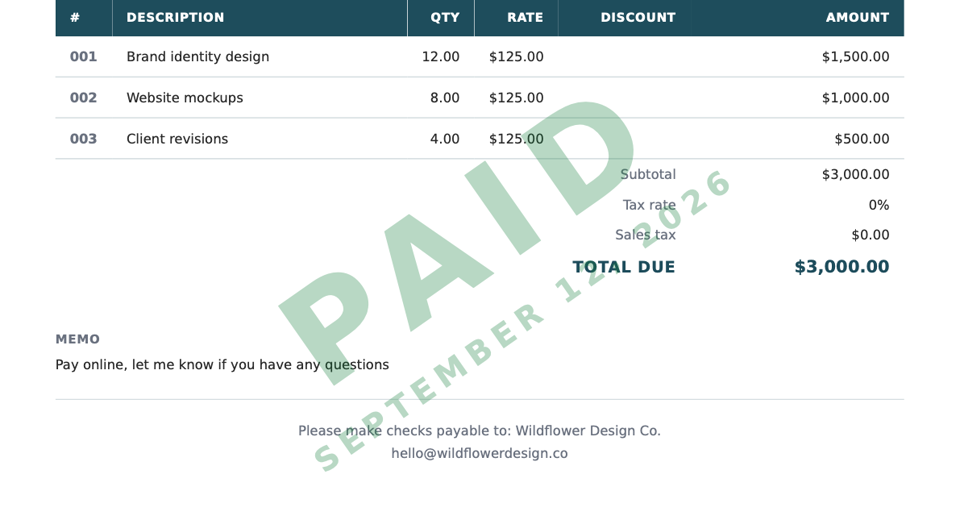
Once an online payment goes through, the invoice moves to Paid and its PDF is re-issued with a Paid stamp and the date.
Online payments are the last step of the Happy Hours workflow. You track time and expenses, turn them into an invoice, and your client pays it online by credit card or ACH bank transfer. No separate payment app, and no waiting on a check in the mail.
Turn on payments once, under Get paid with Stripe in Settings. Stripe walks you through a short setup that creates your own Stripe account, and from then on any invoice can take payments.
Create the invoice in invoicing, choose whether the client can pay by card, bank transfer, or both, and send it. Your client gets an email with the PDF attached and a View & Pay Invoice button that opens a payment page with your logo, the amount due, and a choice between card and US bank account. No account or password needed.
You can send yourself a preview to see exactly what your client sees. Clients also get a list of every invoice you’ve sent them, so an old one is never lost in their inbox.
There is no separate payment plan. Happy Hours is a flat $10/month, and a processing fee is charged only when a client pays an invoice online:
Each emailed invoice tells you whether the client has opened the email and the payment page, so you know if it’s been seen before you follow up. When it’s time for a nudge, Send reminder emails the invoice again.
A card payment usually moves the invoice straight to Paid. A bank transfer shows Processing for a few days while it clears, then moves to Paid. The status panel shows the date it was paid, and the PDF gets a Paid stamp.
Payments feed straight into financial insights, where paid invoices count toward revenue and unpaid ones sit in your receivables aging until the client pays, so you can see who pays on time and what’s still outstanding.
Clients enter card and bank details in Stripe’s own payment form, so their credentials go straight to Stripe. Happy Hours never stores them; it keeps only a reference to the payment and its status. Money goes into your own Stripe account, not through Happy Hours, and your Stripe dashboard handles payouts, refunds, and disputes.
And if a client would rather mail a check, mark the invoice paid yourself and your books stay complete.
Bank transfers (ACH) cost 0.8%, capped at $5 per payment. Card payments cost 2.9% + $0.30. These fees are charged only when a client pays an invoice online, including during the free trial, and your plan stays a flat $10/month. Some cards, such as international cards, can cost more under Stripe’s pricing. See pricing.
No. Your invoice email has a View & Pay Invoice button that opens the payment portal without any signup or password, and the link works for 30 days. Clients see the invoice, choose card or US bank account, and pay. To see what they see, use Send myself an email preview when you send, or Preview client portal from the invoice.
Payouts are handled by Stripe. Payments go into your own Stripe account and are paid out to the bank account you add during Stripe setup, on your Stripe payout schedule, typically in as little as 2 business days for card payments. Bank transfers take a few days to clear first; the invoice shows Processing until they do.
There is no fee unless a client actually pays online. If a client pays by cash, check, or Zelle, mark the invoice paid with the date you received it, and nothing is charged. One thing to know: emailing an invoice from Happy Hours uses the client payment portal, so it needs a Stripe account set up. Without one, you can publish the invoice without the email.
You can accept bank transfers only. Untick Allow card payment on any invoice, or switch card payments off in your invoice defaults so new invoices start that way. Clients always pay exactly the invoice amount: Happy Hours doesn’t add surcharges, and the processing fee comes out of the payment you receive.
Stripe. Clients enter card and bank details in Stripe’s own payment form, so their credentials go to Stripe and Happy Hours never sees or stores them; it keeps only a reference to the payment and its status. Payments go into your own Stripe account, and refunds and disputes are handled in your Stripe dashboard. Enabling payments means you also agree to Stripe’s terms.
Not currently. Happy Hours works for US businesses and invoices in US dollars, with bank payments from US bank accounts. If you’re interested in being a beta user for our planned international expansion, reach out and we’ll be happy to give you extended free access during the beta.