Everything about a project on one page
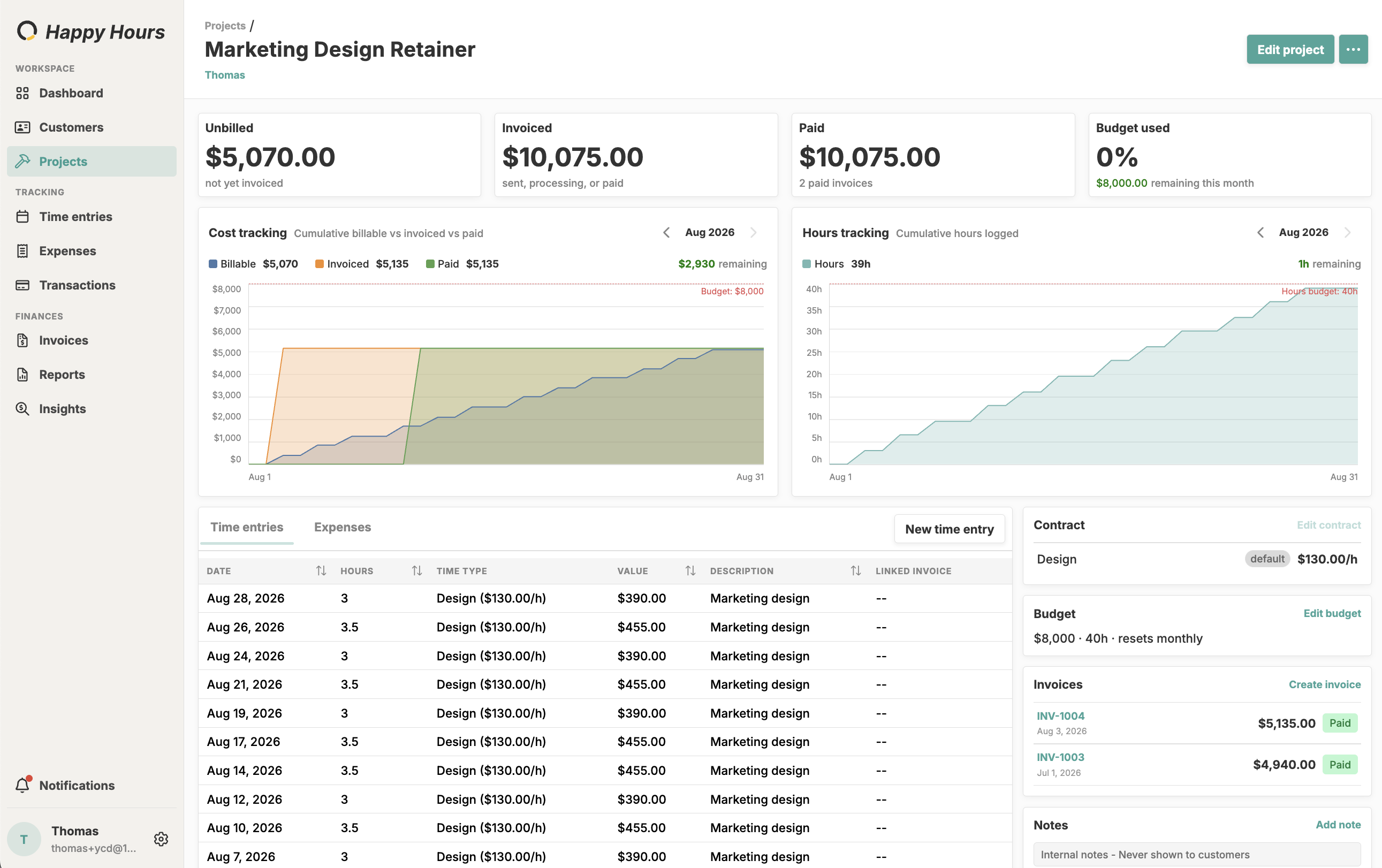
Unbilled work, invoices, payments, budget, rates, time entries, and expenses, together on the project page.

Keep every client and job in order, from first quote to final payment. Set each project’s contract and rates once, then bill accurately every time.
Start freeAdd every client and every job you work on. No caps and no tiers, one flat plan.
Bill a lump sum, a list of milestones, or the hours and expenses you track.
Give a project as many rates as the work needs, including one default that’s used automatically.
Turn an approved estimate into a project, with its lines set up as milestones or rates.
Keep files on the project, plus notes that are never shown to customers.
Each project shows what’s unbilled, invoiced, and paid, and what’s left of the budget or fixed price.
Unbilled work, invoices, payments, budget, rates, time entries, and expenses, together on the project page.
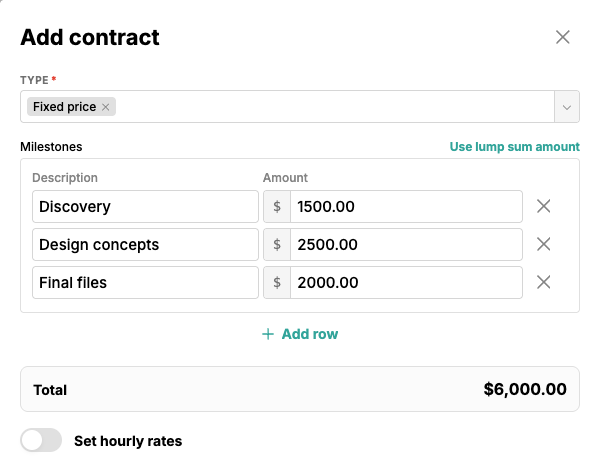
Set the Type to Fixed price and split the job into milestones with their own amounts, or use a single lump sum. The total adds up as you type.
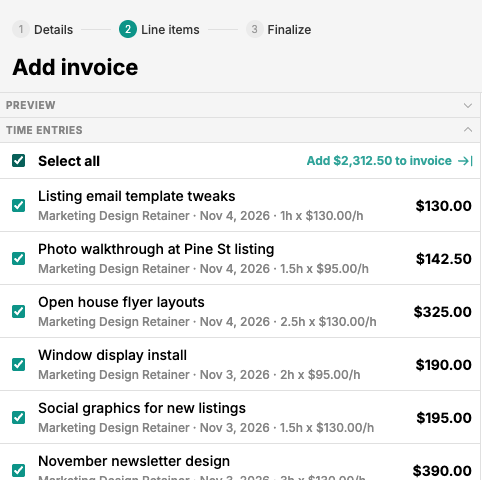
Click Create invoice and pick from the project’s unbilled time entries. Select all, and they land on the invoice as line items, one per rate.
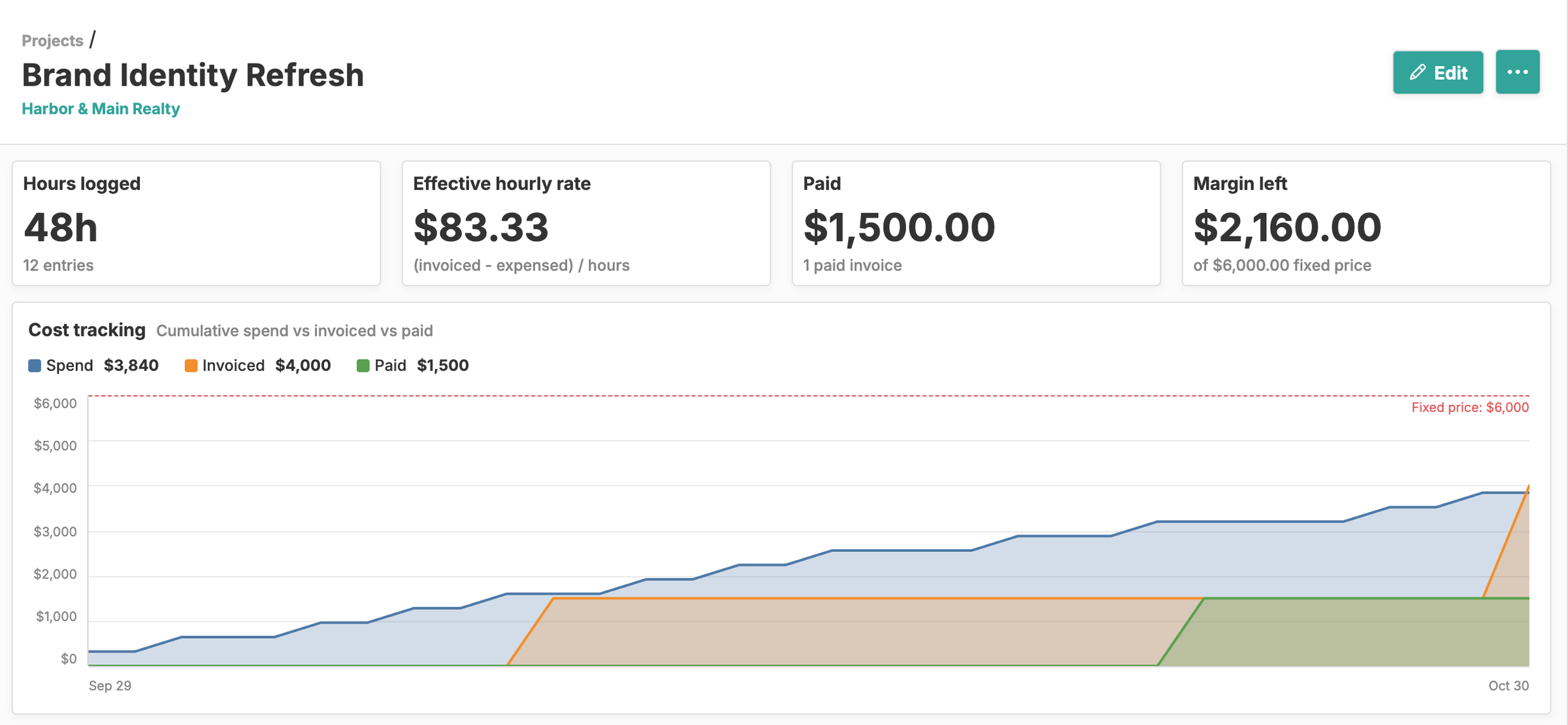
Log your time against a fixed price and watch spend, invoiced, and paid climb toward it. Margin left stays in plain sight, and once you’ve invoiced you see your effective hourly rate.
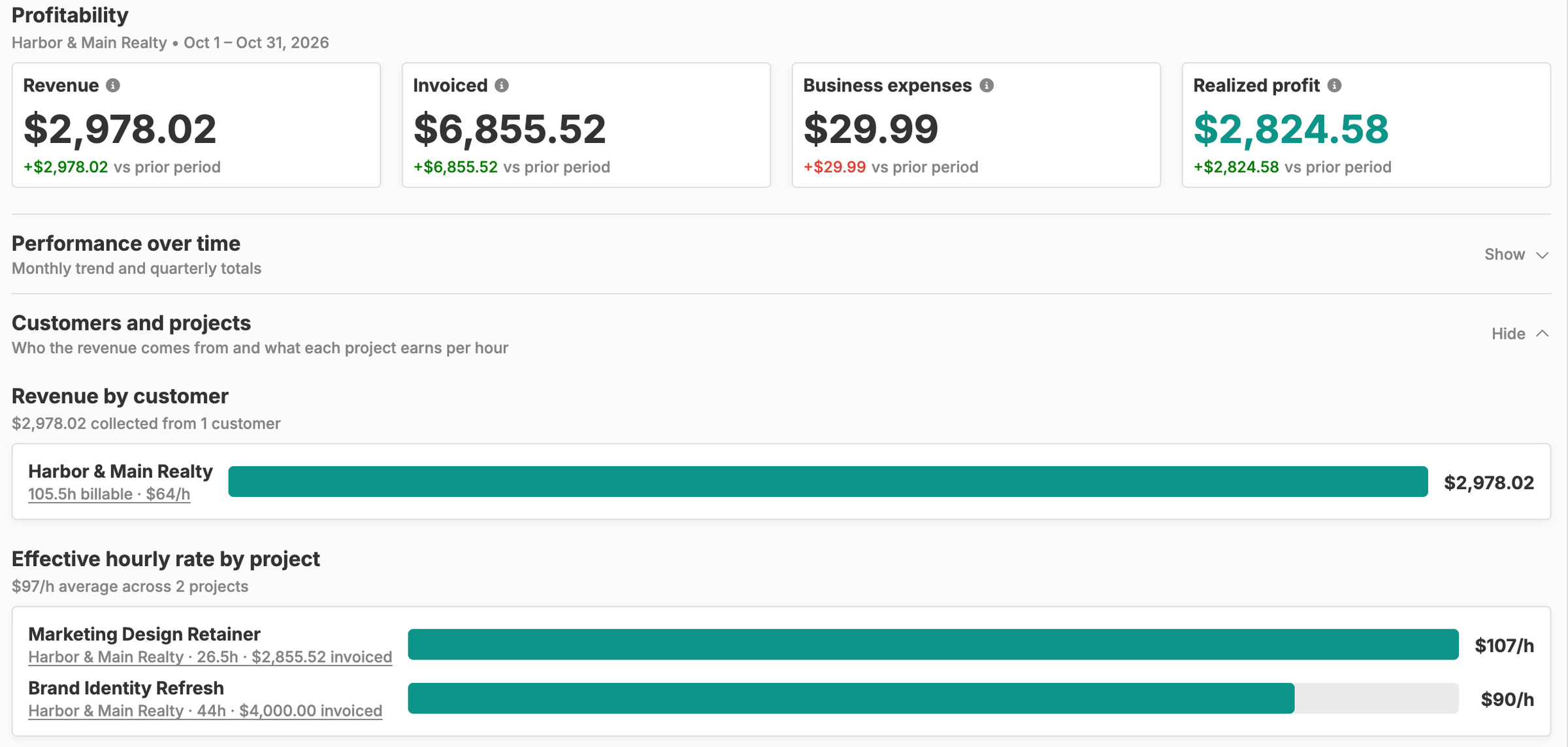
Filter Insights by customer, project, and date range to see revenue, invoiced, business expenses, and realized profit, plus the effective hourly rate each project earns.
Freelancers rarely need a task board. What they need to know is who they work for, what each job pays, how it gets billed, and whether it’s actually making money. That’s what customers and projects are for in Happy Hours: they hold the terms of the work, and everything else you track (time, expenses, budgets, invoices) hangs off them.
Add a customer for each client you bill. Their page gathers the people you deal with there, their projects and estimates, and your own notes.
Then add a project for every engagement: a retainer, a one-off build, a phase of a larger job. A project doesn’t have to belong to a customer, so internal work has a home too. If you’ve already quoted the job, mark the estimate approved and Happy Hours builds the project and its contract from the estimate’s lines.
Each project gets one contract, and its Type decides how the work bills:
Every project gets a page that answers the questions you’d otherwise piece together from a spreadsheet. The totals at the top fit the contract: unbilled and invoiced on a time and expenses project, paid and margin left on a fixed-price one. A chart plots your billable work against what’s been invoiced and paid, and every time entry and expense shows the invoice it landed on.
The numbers come from the rest of Happy Hours: hours from time tracking, pass-through costs from expense tracking, and hour or dollar limits from budgeting. Give a project a budget and once it passes 90% you’ll see a warning on the project page and in the time entry form, which shows what’s left once you enter the hours.
When a job wraps up, close the project. It drops out of your pickers and timesheet, and you can reopen it any time.
When it’s time to bill, click Create invoice on the project. Happy Hours lists only the billable work that hasn’t been invoiced yet: time entries and expenses, or milestones on a fixed-price job. Select what you’re billing and it becomes line items, with hours at each rate on their own line and expenses at cost plus your markup. Send it with invoicing, and clients can pay online by card or bank transfer.
If you’re working on several projects for one client, start the invoice from the customer instead and bill them all at once. To compare clients and projects side by side, financial insights shows revenue by customer and your effective hourly rate on each project, and flags the ones billing well below your average.
A customer is the client you bill, with their email, address, and contacts. A project is a piece of work, usually for one customer, with its own contract, hourly rates, budget, PO number, documents, and notes. Time entries, expenses, and invoices attach to a project, so you see the numbers for each job, and you can still bill several of a customer’s projects on one invoice.
Both. Set a project’s contract to time and expenses to bill tracked hours and expenses at your rates, or to fixed price with a lump sum or a list of milestones. On a fixed-price project you can still log your time, and the project page shows how much margin is left and, once you’ve invoiced, your effective hourly rate.
Yes. Add as many named rates to a project’s contract as the work needs, such as design and site visits, and mark one as the default. New time entries pick up the default, and you can switch any entry to another rate. When you invoice, hours billed at different rates land on separate lines.
Yes. Create the invoice for the customer instead of a single project, and you can pull in work from any of their projects. The invoice adds a Project column so your client can see which job each line belongs to, and each project’s invoiced total still counts its share.
No. Project notes are internal and are never shown to customers, and documents stay in the project’s Documents card in your account. Your clients only see the invoices you send them, in their email and in the client portal, so you can keep scope, decisions, and reference files next to the work without sharing them.
No. Every account includes unlimited customers, projects, time entries, expenses, and invoices for one flat $10/month after a 14-day free trial, with no feature tiers. See pricing for details.
Yes. Book a setup call and we’ll set up your clients and projects from the tool you use today, so you can start tracking time and sending invoices without re-entering everything by hand.